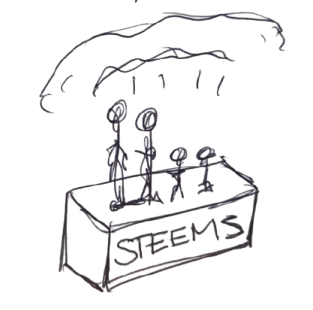
If more than one person in your home plays on Steam, there’s a good chance you’re paying for the same games twice. Steam Families fixes that. It lets a household pool their Steam libraries, so everyone can play each other’s games — and it gives parents proper controls over what children can play, and for how long.
Steam Families launched for everyone in 2024, replacing Steam’s older Family Sharing and Family View features. Here’s how it works.
What Steam Families Does
- Shared library: games owned by any family member appear in everyone’s library, ready to install and play.
- Your own progress: each person keeps their own saves, achievements and settings, even when playing someone else’s game.
- Parental controls: adults can control which games children see, set playtime limits and approve purchases.
The Rules
- Up to six people can be in a family, each set up as either an adult or a child.
- It’s for one household. Valve designed it for people who live together, and members need to be in the same country.
- One copy, one player at a time. Different family members can play different games at the same time, but two people can only play the same game at once if the family owns two copies.
- Not every game can be shared. Free-to-play games don’t need to be, games that require a separate account or launcher (from some big publishers) usually can’t be, and some developers opt out. The game’s store page shows whether it supports Family Sharing.
- DLC comes with the game. If you borrow a game, you get the DLC its owner bought for it. You can’t borrow only someone else’s DLC for a game you own yourself.
- There’s a one-year cooldown. If an adult leaves or is removed, they can’t join another family for a year, and their empty slot stays locked for a year too. Choose your members carefully.
How to Set It Up
- In the Steam app, go to Steam → Settings → Family and create a family. You become its first adult.
- Invite people from your friends list or with an invite link, choosing whether each person joins as an adult or a child.
- They accept the invite from the Steam app, the mobile app or a browser.
- Shared games then appear in everyone’s library. Borrowed games are marked so you can tell them apart from your own.
Parental Controls for Children
Child accounts are where Steam Families really earns its keep. For each child, adults can:
- choose exactly which games from the family library they can see and play
- set daily or per-day playtime limits
- restrict access to the Steam Store, Community features and chat
- view reports of how long they’ve played
- approve or decline requests for extra playtime or new games
Children can’t buy anything themselves. Instead they send a purchase request, which an adult approves from the Steam mobile app or email and pays for with their own payment method. Adults can also help a child recover their account if they lose their password, and children can’t leave the family on their own.
Things to Watch Out For
- Cheating affects the owner too. If someone is caught cheating in a borrowed game, Valve can penalise both the player and the family member who owns that game. Only share with people you trust.
- Popular games can be “busy”. If one person is playing a shared game, nobody else can borrow that copy until they stop.
- Think before adding friends. It’s tempting to add mates who don’t live with you, but Steam Families is designed for households, and the one-year cooldown makes mistakes slow to undo.
Is It Worth Setting Up?
For any household with more than one Steam player, yes. It’s free, it can save real money, and for parents it’s the simplest way to give children their own Steam account without handing them a bank card. If you’re new to Steam altogether, start with our beginner’s guide to Steam, and for playing games together over the internet, see our Remote Play Together guide.
FAQs
How many people can be in a Steam Family?
Up to six, including the person who created it.
Can two people play the same shared game at once?
Only if the family owns two copies. Otherwise, one person has to stop before another can start.
Can I share Steam games with friends who don’t live with me?
Steam Families is designed for a single household, and members need to be in the same country. For playing together online, Remote Play Together is the better option.
Can my child buy games on Steam?
Not directly. On a child account, purchases are sent as requests for an adult to approve and pay for.
What happened to Steam Family Sharing?
Steam Families replaced the older Family Sharing and Family View features, combining library sharing and parental controls in one place.