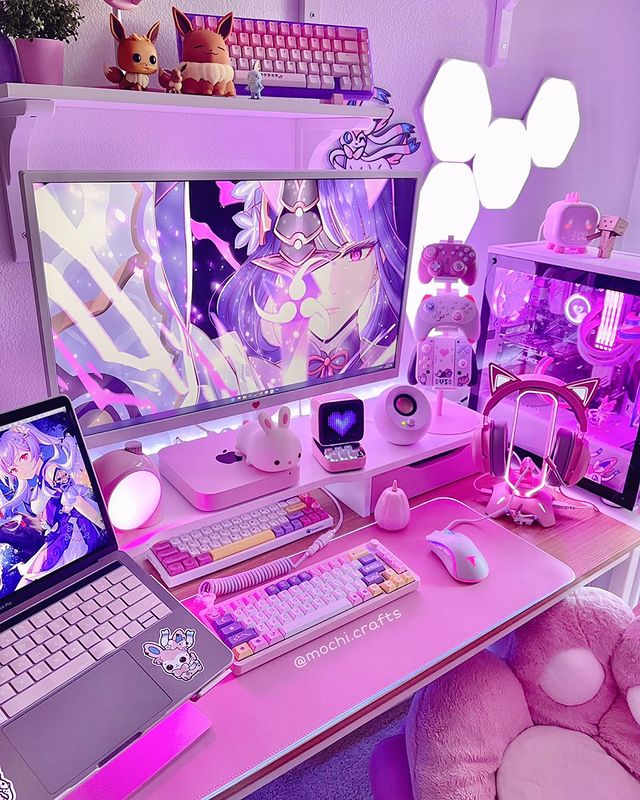
Desk, Peripherals & Inspiration
There’s something undeniably striking about a well-executed all-black gaming setup. Dark, sleek, and effortlessly aggressive — it’s the aesthetic that never really goes out of style, and it’s easier to pull off than you might think. No clashing colours, no mismatched gear. Just a clean, cohesive desk that looks like it belongs in a pro gaming house.
Whether you’re starting from scratch or upgrading what you’ve got, this guide walks you through everything you need to build a great black gaming setup — from keyboard and mouse to desk mat and chair — with picks that look the part and actually perform.
The Black Setup Aesthetic: What Makes It Work
The appeal of a black gaming setup is in its discipline. Where colourful setups can easily look chaotic, an all-black build naturally comes together because every piece shares the same base tone. The result is a desk that looks intentional and sharp, even when it’s not perfectly curated.
Black setups work best when you make a conscious choice about lighting. Going full dark with no RGB creates a clean, understated look — great for minimalists. Adding RGB across your peripherals transforms the same black base into something dramatic and gaming-focused. Either direction works; just commit to one.
The other thing that ties a black setup together is consistency of finish. Matte black is your friend. Glossy black picks up fingerprints and looks cheaper over time. Where you can, opt for matte surfaces — keyboards, mice, headsets, desk mats — and your setup will hold up much better in real life than it does on spec sheets.
What You Need for a Complete Black Gaming Setup
A well-rounded desk setup comes down to five core elements: keyboard, mouse, headset, desk mat, and chair. Get these right and everything else — monitor, lighting, cable management — is finishing detail. Here’s what we’d recommend for each.
1. Keyboard: Razer Huntsman V3 Pro TKL
~£140–160 | Wired | TKL (Tenkeyless)
A black setup needs a keyboard that holds its own as the centrepiece. The Razer Huntsman V3 Pro TKL does that effortlessly. It’s matte black throughout, built on an aluminium top plate that gives it a premium, solid feel, and it uses Razer’s analog optical switches — genuinely one of the most advanced switch technologies available right now.
The big feature here is Rapid Trigger mode, which resets the switch actuation the moment you release the key rather than waiting for it to return to a fixed reset point. For competitive FPS players, it’s a meaningful advantage in fast-movement scenarios like counter-strafing. But even if you’re not playing at that level, the switches just feel excellent — fast, consistent, and satisfying.
TKL (tenkeyless) means no number pad, which keeps the footprint compact and pushes your mouse closer to centre. For most gamers that’s the right call — more desk space, less awkward arm extension during play.
Razer Chroma RGB is fully customisable through Synapse software, but honestly the keyboard looks just as good with a subtle static white glow against the black chassis.
Why it fits a black setup: Matte black aluminium build, compact TKL footprint, premium switches, RGB that enhances rather than distracts.
2. Mouse: Razer DeathAdder V4 Pro
~£110 | Wireless | 56g
The DeathAdder V4 Pro in black is the kind of mouse that looks like it cost twice what it did. The matte black shell is clean and fingerprint-resistant, the ergonomic right-hand shape is immediately comfortable, and at just 56g it barely registers in your hand during long sessions.
Under the hood it’s running the Focus Pro 45K Gen-2 optical sensor — one of the most accurate gaming sensors available — with Gen-4 optical switches rated for over 100 million clicks. Battery life reaches up to 150 hours at standard polling, so it won’t be interrupting your sessions with low battery warnings. And when you do need to charge, it runs wired too, so there’s no downtime.
For a black setup specifically, the understated Razer logo and minimal design language make it one of the cleanest-looking premium mice around. It doesn’t scream for attention — it just sits on your mat looking purposeful.
Why it fits a black setup: Matte black finish, minimal branding, ultra-lightweight, premium build quality that matches the aesthetic.
3. Headset: Razer BlackShark V2 X
~£30–35 | Wired | Over-Ear
The name alone fits — the BlackShark V2 X is built for a black setup. Matte black frame, dark ear cushions, understated design. It doesn’t have the flashy RGB of some headsets, which is exactly right for an all-dark aesthetic that wants to look composed rather than chaotic.
Sound quality is well above what you’d expect at this price. The 50mm TriForce titanium drivers deliver clear highs and solid bass, making it equally good for gaming audio and music. The cardioid microphone picks up your voice cleanly and reduces background noise — far better than built-in monitor speakers or a headset at half the price.
It’s wired, which keeps the price down and eliminates any latency concerns. The headband is comfortable enough for long sessions and the clamping force is light. For a budget-conscious black setup that still looks and sounds the part, this is a very easy recommendation.
Why it fits a black setup: All-black matte finish, no distracting RGB, clean professional look, genuinely great sound for the price.
4. Desk Mat: Razer Gigantus V2 XXL
~£30–40 | 940 x 410mm | Soft
A large desk mat is one of the single best investments you can make for any gaming setup. It unifies the desk surface, gives your mouse consistent tracking across a wide area, protects your desk, and — in an all-black setup — ties every peripheral together visually.
The Razer Gigantus V2 XXL is the easy choice here. It’s covered in a micro-textured cloth surface that’s optimised for both optical and laser sensors, with a non-slip rubber base that stays put even during intense gaming sessions. The edges are stitched to prevent fraying over time, which cheaper mats almost always develop within a few months.
At 940 x 410mm it covers most desks from edge to edge, putting your keyboard and mouse on the same surface and making the whole setup look intentional. In black. Obviously.
Why it fits a black setup: All-black surface, large enough to cover keyboard and mouse, quality stitched edges, premium soft surface.
5. Chair: Secretlab Titan Evo (Black)
~£349–449 | Adjustable | Multiple sizes
Your chair is the one piece of kit you’ll interact with for every single hour of gaming, and it’s also the most visible element of any setup photo. A great black chair anchors the whole room.
The Secretlab Titan Evo is consistently ranked among the best gaming chairs available, and the all-black version is a masterclass in restrained design. It comes in SoftWeave fabric or NEO Hybrid Leatherette, both available in black — the fabric version in particular has a premium, almost architectural look that elevates the whole setup aesthetic.
Ergonomics are excellent: magnetic neck pillow, adjustable lumbar support, 4D armrests, and a full recline. Secretlab offers three sizes (Small, Regular, XL) so you can get a proper fit rather than just defaulting to one size. It’s not cheap, but it’s built to last years and will be one of the better investments you make in your setup.
Why it fits a black setup: Stunning all-black design, premium materials, great ergonomics, multiple size options, built to last.
Finishing Touches for a Black Gaming Setup
Monitor
Most gaming monitors come in black by default, so you have a lot of choice here. A curved monitor or ultrawide adds drama to a dark setup and is worth considering if your desk has the space. Any of our gaming monitor recommendations will suit a black build.
Lighting
Bias lighting behind your monitor — a simple LED strip in warm white or a subtle RGB — is one of the cheapest and most effective ways to elevate a black setup. It reduces eye strain, makes the setup look intentional on camera, and creates that characteristic moody glow you see in all the best setup photos. Govee and Philips Hue both make good options.
Cable Management
Black setups punish visible cables more than colourful ones — stray white or grey cables really stand out against a dark desk. Cable clips, Velcro ties, and a cable management tray under the desk are all cheap fixes that make a significant difference. Aim for all black cables where possible, or at least tuck everything out of sight.
Keycaps
If you want to personalise your keyboard without breaking the all-black theme, dark double-shot PBT keycap sets are a great option. They’re more durable than standard ABS keycaps, don’t shine with wear, and come in a huge variety of subtle black-on-dark colourways. A set of white legends on black keycaps is the classic clean look.
Black Gaming Setup on a Budget
You don’t need to spend £700+ to pull off a great black setup. Here’s a budget-friendly route to the same aesthetic:
- Keyboard: Logitech G413 TKL SE (~£45) — brushed aluminium, black, backlit
- Mouse: Logitech G203 Lightsync (~£24) — classic black, reliable sensor
- Headset: Razer BlackShark V2 X (~£30) — as above, the black is part of the design
- Desk mat: Any large black cloth mat (~£12–15) — Amazon has plenty of decent options
- Chair: IKEA Markus (~£179) — not a gaming chair, but genuinely comfortable and all-black
Total for that lineup: under £300, and it looks sharp. The Logitech keyboard and mouse are both solid performers that won’t hold you back. Upgrade pieces individually over time as budget allows.
Final Thoughts
A black gaming setup is one of the most satisfying builds to put together because the rules are simple: keep it dark, keep it matte, keep it consistent. You don’t need to overthink the colour palette. Just focus on getting quality pieces that perform as well as they look.
Start with the keyboard, mouse, and headset — the three things you’ll touch every session — then add the desk mat and chair when budget allows. Once those five elements are in place, you’ll have a setup that looks properly considered from the moment you sit down.
Prices correct at time of writing and may vary. As an Amazon Associate we earn from qualifying purchases.